Materials
Prepare Texture Images
BME4 uses a specially designed PBR material system. Each material consists of three 2048×2048 .png texture images.
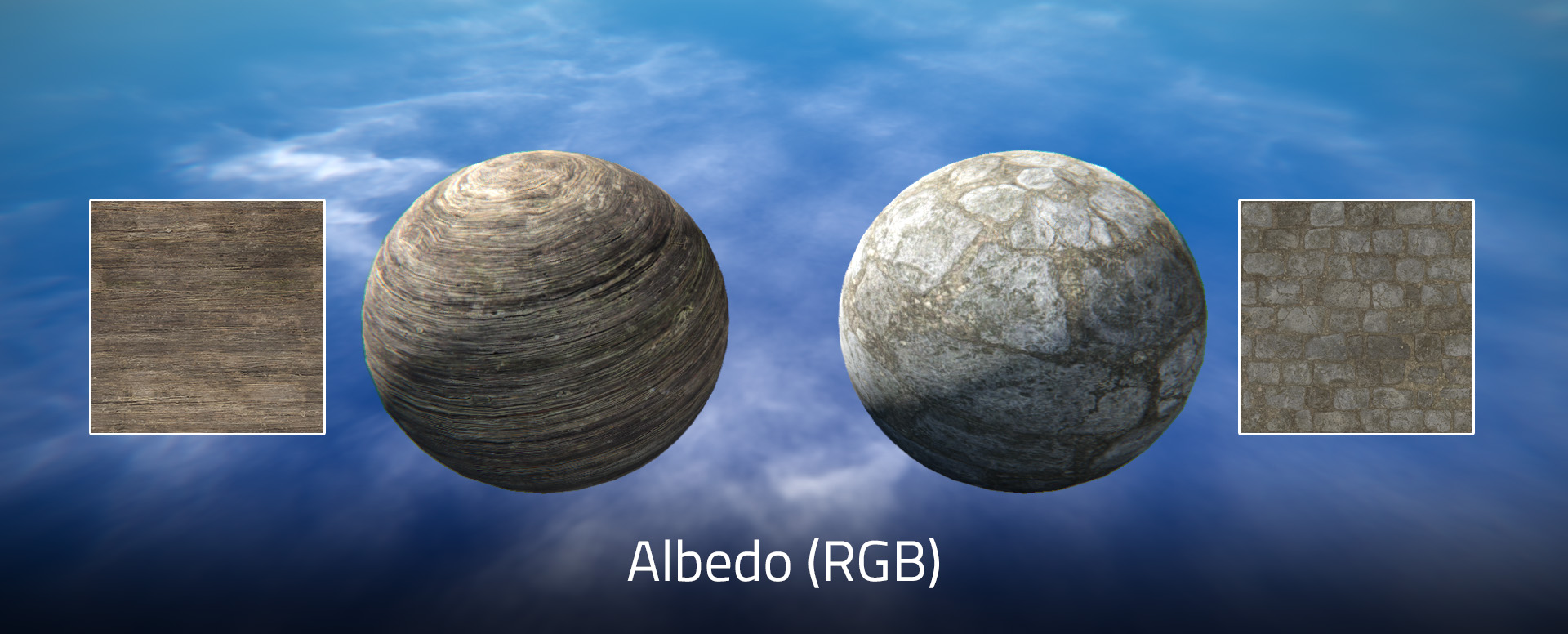
Albedo Map
RGBchannel: diffusion color. (Required)Achannel: depth or opacity. (Optional, white if omitted)
Normal Map
RGBchannel: normal direction. (Optional, no image if omitted)Achannel: unused now
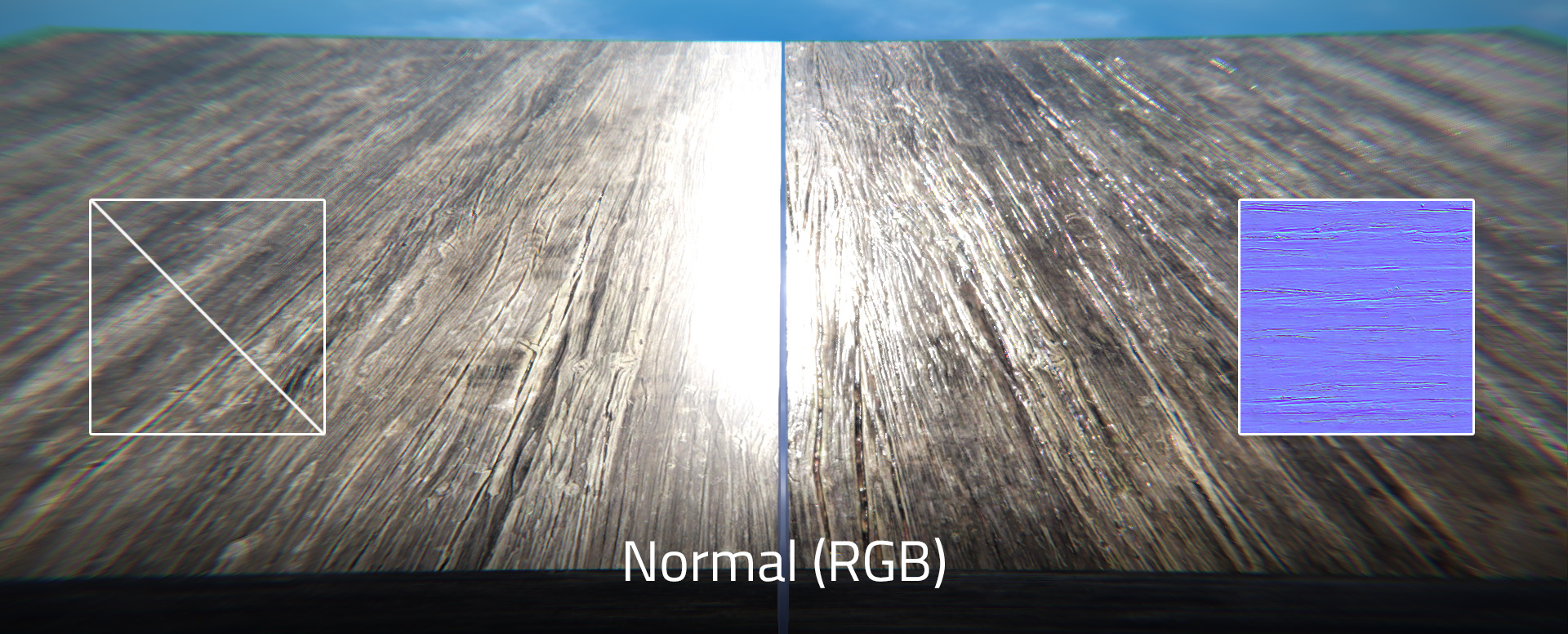
In Adobe Photoshop, you can use Filter → 3D → Generate Normal Map... to generate a normal map.
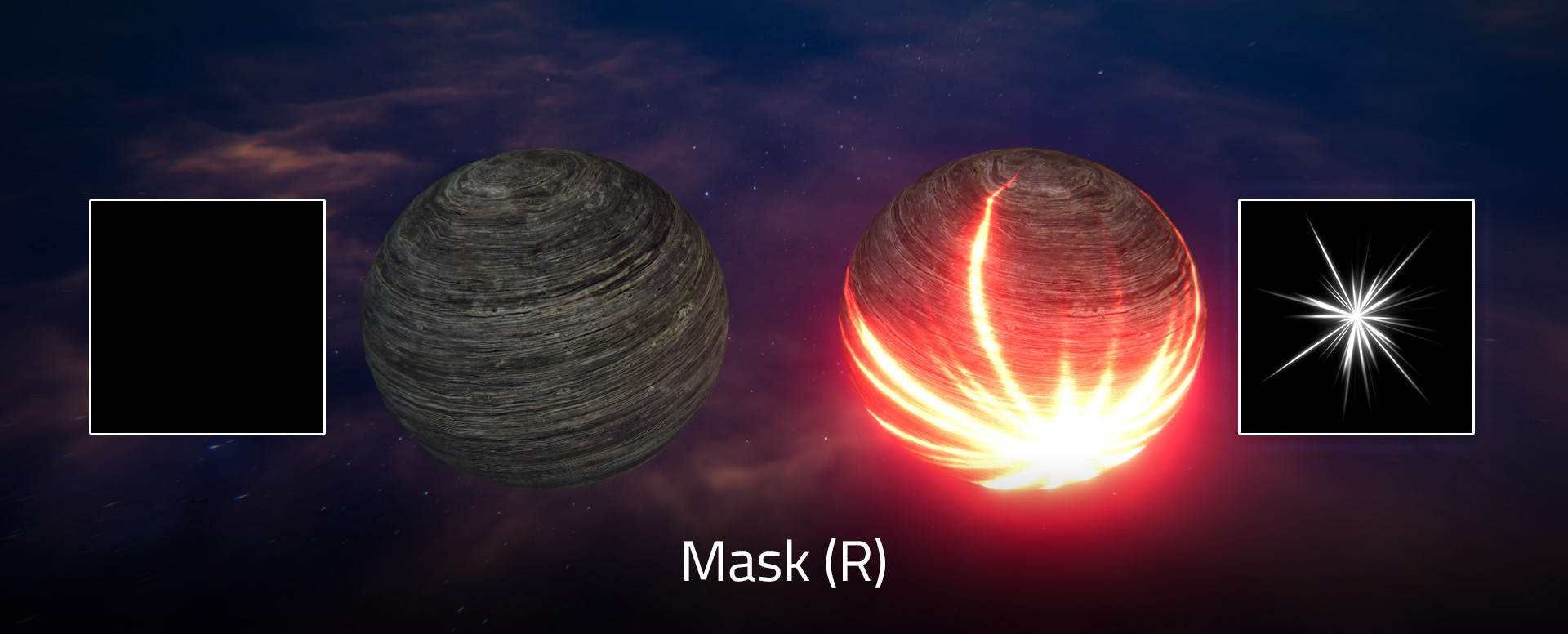
Mask Map
Rchannel: emission. (Optional, black if omitted)
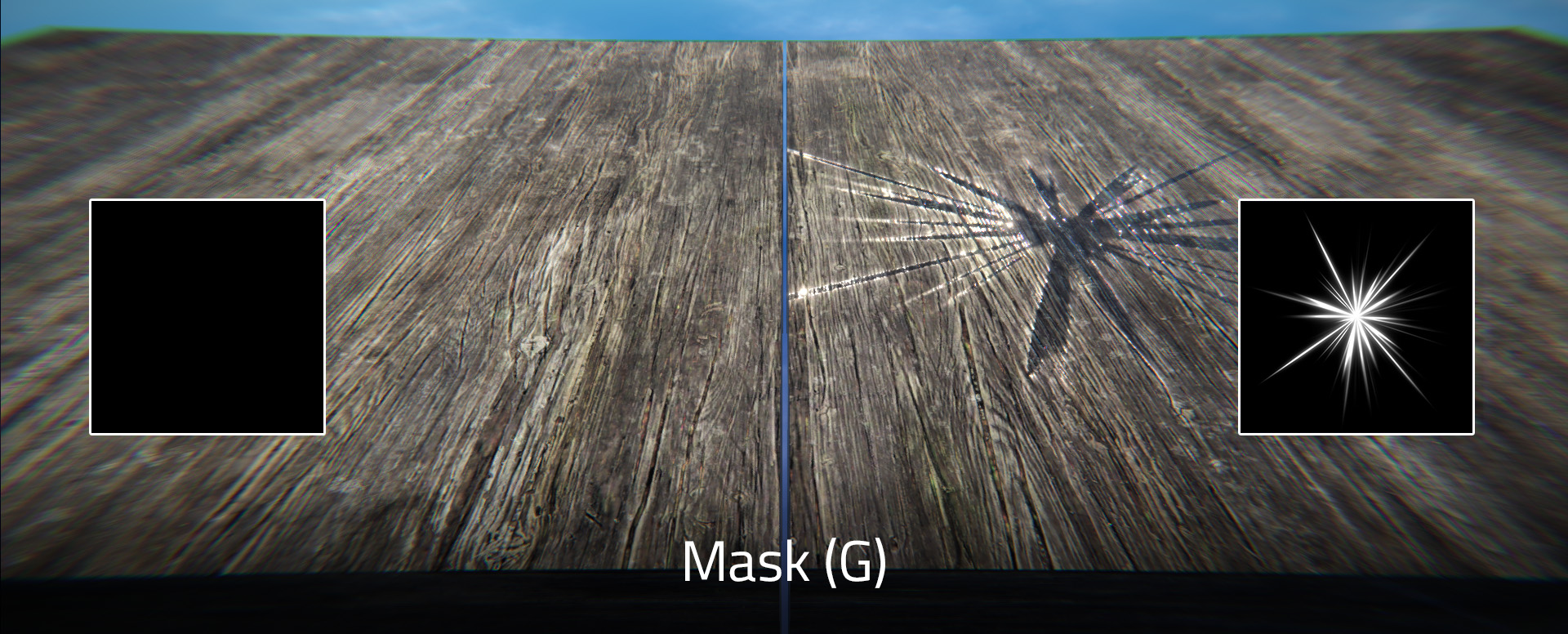
Gchannel: smoothness. (Optional, black if omitted)
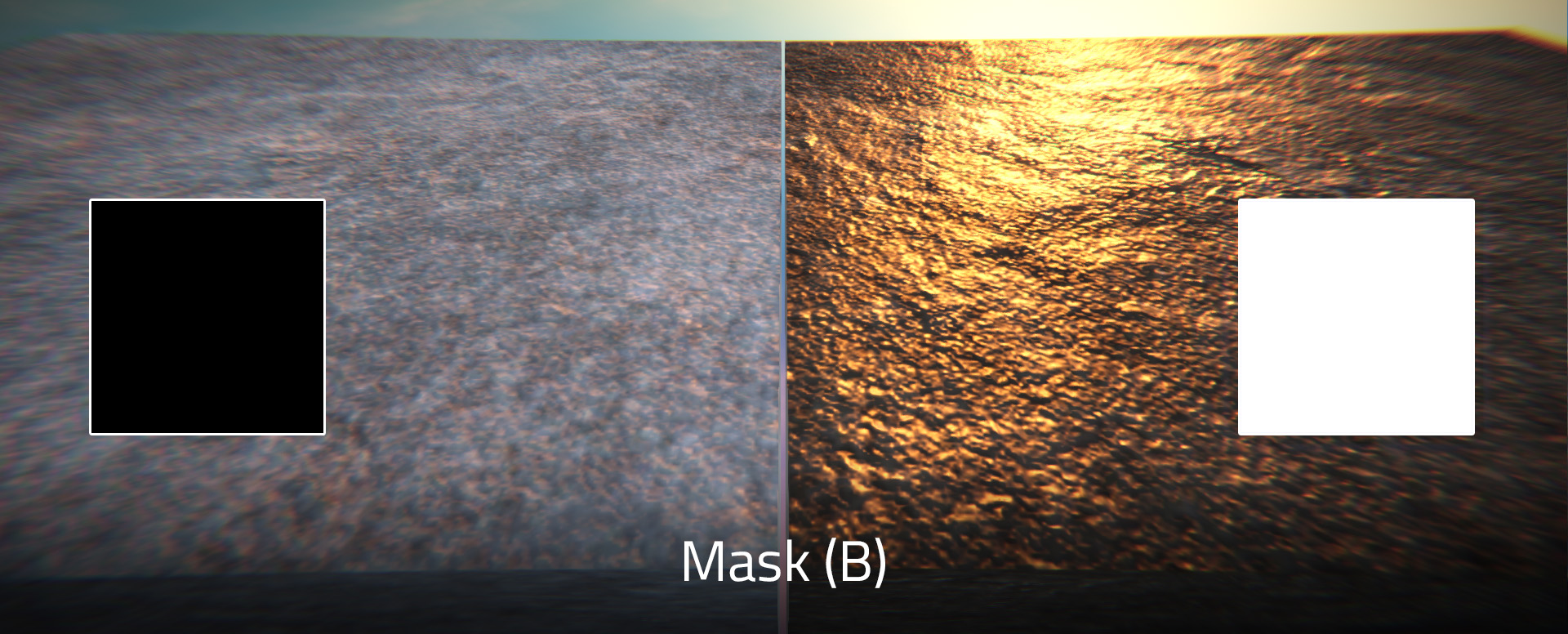
Bchannel: metallic. (Optional, black if omitted)
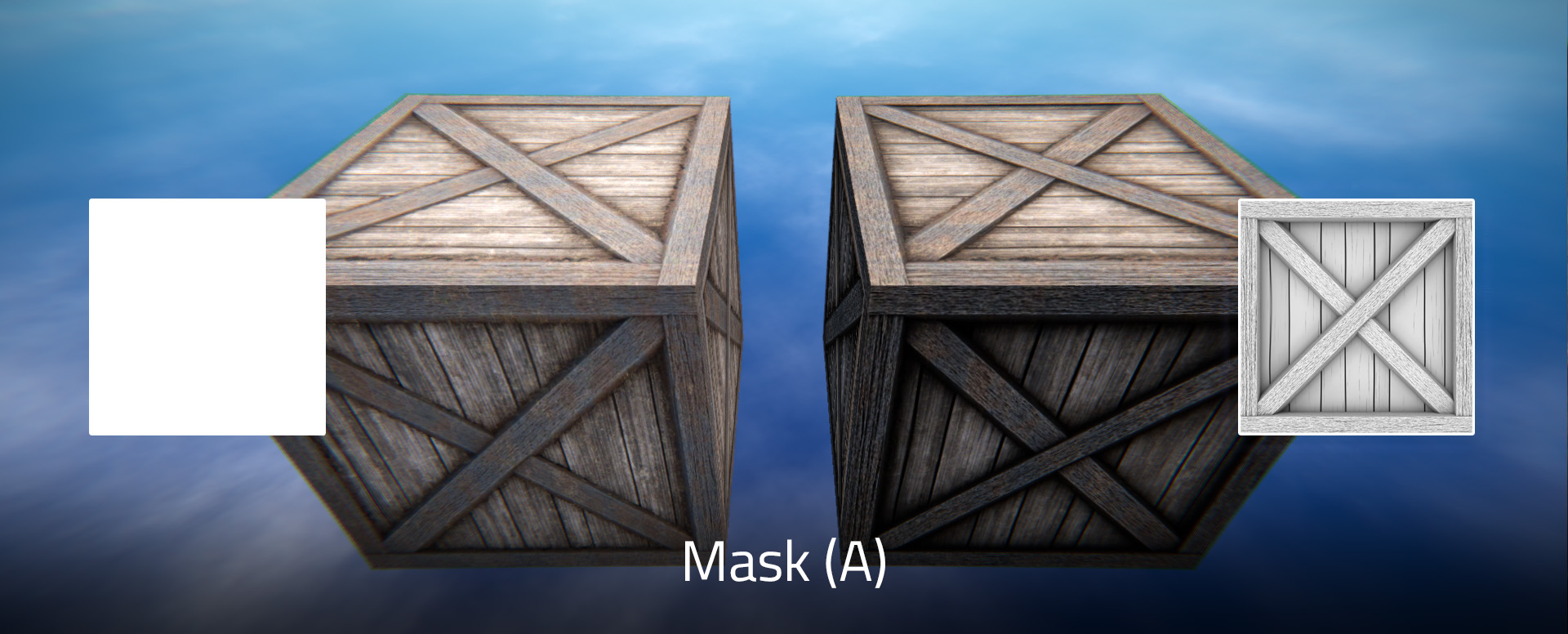
Achannel: ambient occlusion. (Optional, white if omitted)
Import Texture
In Assets → Textures panel, click the plus sign at the bottom, and choose images to import.
Renaming textures in BME4 is not supported now, but you can rename them by changing their file names in %USERPROFILE%\AppData\LocalLow\Mushreb\BME4\Assets\Textures.
Create Material
In Assets → Materials panel, click the plus sign at the bottom to create a material, or double-click one to edit it.
When editing a material, click Save to save it, click Reload or close the window to discard any changes.
Renaming materials in BME4 is not supported now, but you can rename them by changing their file names in %USERPROFILE%\AppData\LocalLow\Mushreb\BME4\Assets\Materials.
PBR Material
Albedo
- Type:
Texture - Default: empty
Normal
- Type:
Texture - Default: empty
Mask
- Type:
Texture - Default: empty
Transparency Mode
- Type:
Literal - Default:
Opaque
When using Threshold mode, the texture is fully transparent where A channel of albedo map is less than 128, or fully opaque otherwise. When using Blend mode, the opacity of texture is defined by A channel of albedo map.
The performance of threshold mode is much better than that of blend mode. The former is preferred if the result meets your requirement.
Enable Global UV
- Type:
bool - Default:
false
Tiling Scale
- Type:
floatfloat - Default:
11 - Constrain:
x: x > 0y: y > 0
Tiling Offset
- Type:
floatfloat - Default:
00
Emission Color
- Type:
Color - Default:
RGB(0, 0, 0)
Brightness is defined by R channel of mask map.
Metallicity
- Type:
float - Default:
0.2 - Constrain:
x: 0 <= x <= 1
Enhance metallicity on the basis of B channel of mask map.
Smoothness
- Type:
float - Default:
0.35 - Constrain:
x: 0 <= x <= 1
Enhance smoothness on the basis of G channel of mask map.
Ambient Occlusion
- Type:
float - Default:
0 - Constrain:
x: 0 <= x <= 1
Enhance ambient occlusion effect on the basis of A channel of mask map.
Particle Material
Albedo
- Type:
Texture - Default: empty
Blend Mode
- Type:
Literal - Default:
Normal
Tiling Scale
- Type:
floatfloat - Default:
11 - Constrain:
x: x > 0y: y > 0
Tiling Offset
- Type:
floatfloat - Default:
00
Terrain Material
Albedo
- Type:
Texture - Default: empty
A channel of albedo map won't take effect in terrain materials.
Normal
- Type:
Texture - Default: empty
Tiling Scale
- Type:
floatfloat - Default:
11 - Constrain:
x: x > 0y: y > 0
Tiling Offset
- Type:
floatfloat - Default:
00
Smoothness
- Type:
float - Default:
0.35 - Constrain:
x: 0 <= x <= 1