Alignment
This chapter has a decisive impact on mapping quality and efficiency. Please read it carefully and practice more. Do not skip this chapter!
Coordinate Alignment
Adjust the parameters of an object directly in the Inspector window.
Often used for aligning irregular objects such as decorations and machinery.
Vertex Alignment
V, hold to enable and release to disable.
Under moving mode, hold V and the coordinate axis will snap to a vertex near the cursor. Then hold MouseLeft and drag that vertex, and it will snap to a vertex of another object. Release MouseLeft and then V to complete one vertex alignment.
Often used for aligning objects with neat edges and corners such as road blocks, wooden boards and wooden crates, as well as for connecting rails.
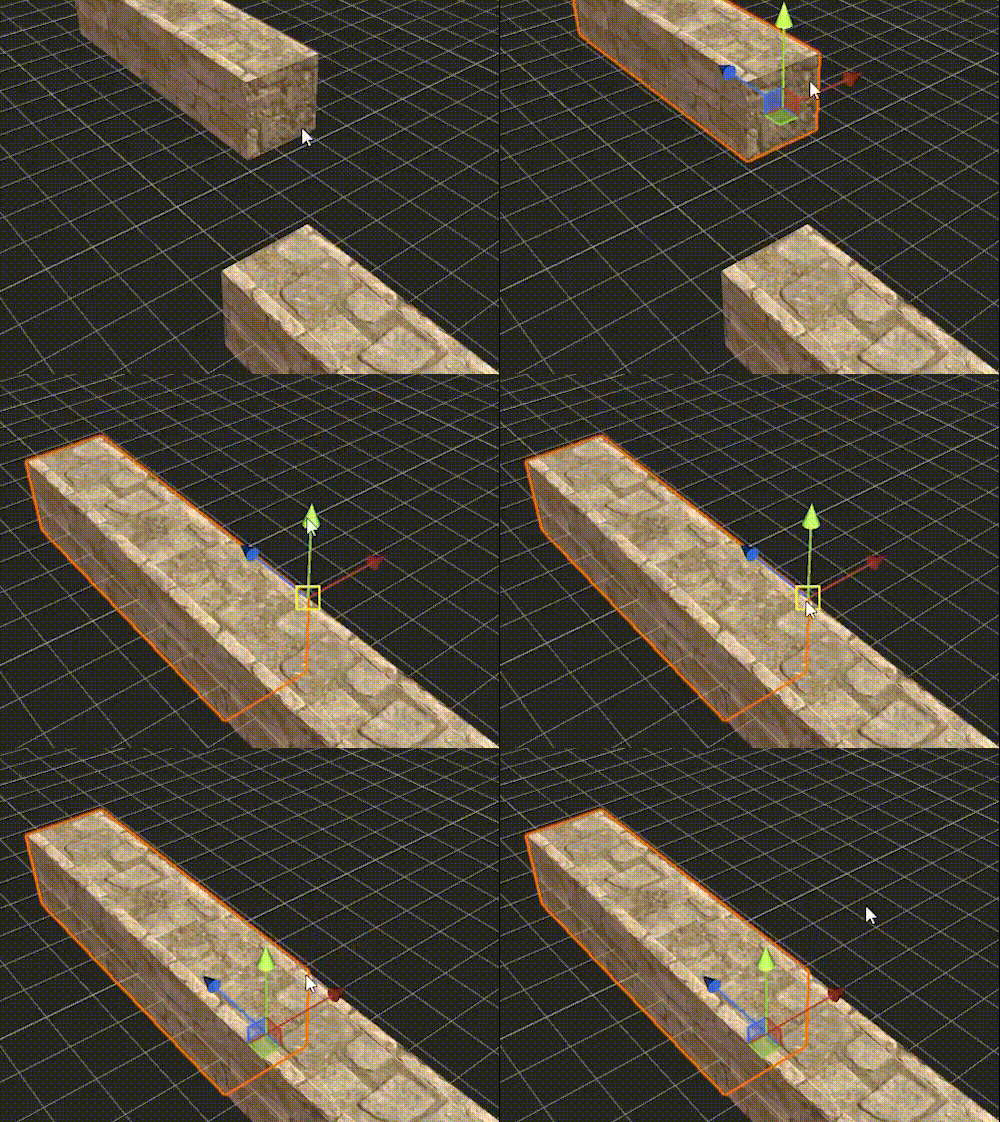
- Multiple objects can be selected to perform vertex alignment simultaneously, and their relative position will remain unchanged
- The vertices here all refer to vertices in the modeling sense, including vertices in the geometric sense and control points at material boundaries. It's easy to grasp the actual behavior of both with more experiments. In most cases, vertex alignment only needs the former
Vertex Alignment + Quantization
Perform vertex alignment first, then use quantized moving to adjust the position.
Often used to determine object positions when a one-grid distance needs to be staggered / separated.
Vertex Alignment + Coordinate Alignment
Perform vertex alignment first to determine the coordinates of one or two axes, then use coordinate alignment to determine the coordinates of the rest.
Often used for connecting roads with rails, and for other occasions that need fine tuning.
Cheat Alignment
Add an arbitrary object as an auxiliary object (usually a single-block road), align the other objects with it by vertex, then delete the auxiliary object.
Often used when moving objects in a batch (for example, moving a whole section) to align them with existing objects.
Duplicate + Quantization
When there's an identical object nearby, you can duplicate it and then quantized move it to the needed position, which usually reduces the workload greatly.